

Brand Rollout Plan: Carry One Brand Across Its Touchpoints
Resume reading
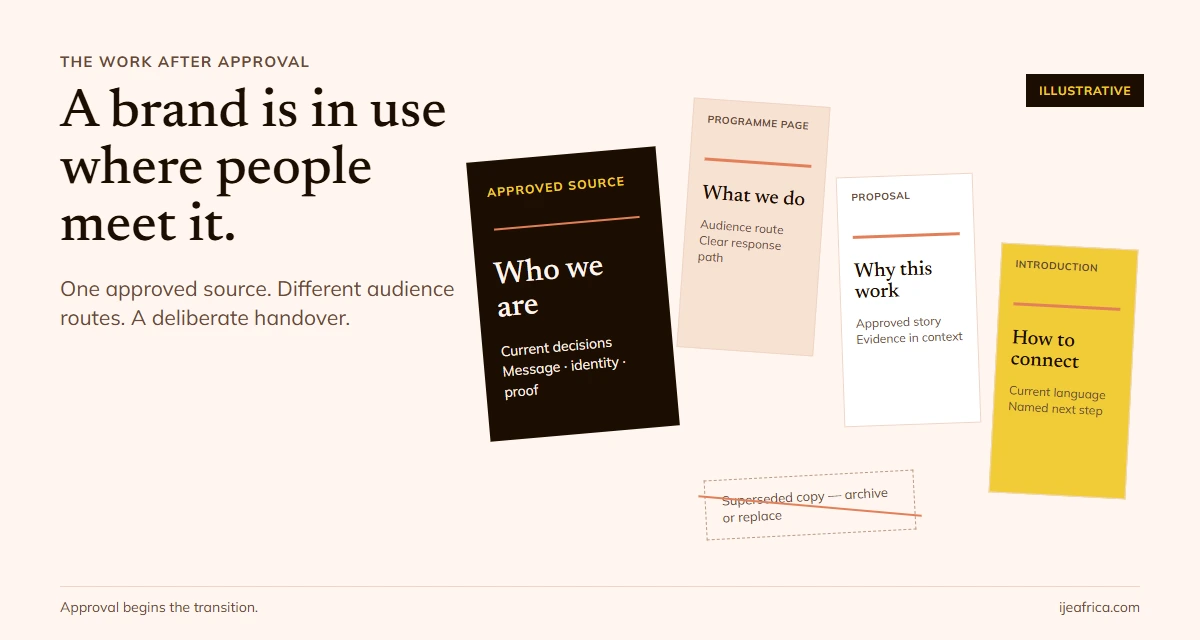
A new identity is not in use just because the team has approved the logo or announced the change. The work continues wherever people describe the organisation, explain its offer, make a referral, open a proposal or respond to an enquiry.
A useful brand rollout plan makes that work visible. It records what is changing, who uses it, who owns the update, what must happen first and how the team will know the new version is ready. It also says what happens to the old version.
This guide is for a mission-driven organisation or business that has already approved its positioning, messages and identity. If you are still deciding whether a rebrand is needed, start with a brand audit before a rebrand. If you are defining the identity brief itself, see what to brief beyond the logo.
What a brand rollout plan is for
A brand rollout plan coordinates the move from approved brand decisions to consistent use. It is not only a launch announcement, a list of files to redesign or a calendar of social posts.
The distinction matters. A public reveal can happen while a proposal still uses an old description, staff are unsure which evidence they may share, or a partner is circulating an outdated one-pager. The announcement is one touchpoint. The rollout is the controlled transition around it.
The plan does not need to include every possible surface. It needs to include the places where the organisation actually explains itself, makes a promise, shares evidence or receives a response. A small team with a website and two current proposal templates may need a shorter plan than an organisation with several programmes, offices, partners and public-facing materials.
Freeze the decisions before listing files
Start with a short record of what is approved. Otherwise, the team may distribute assets before it knows what those assets are meant to express.
Record:
- the positioning and audience decision that the rollout should carry;
- the approved name, descriptor, key messages and identity files;
- the evidence or claims that can be used publicly, and any boundaries on them;
- who can approve a change and who can make routine updates;
- the date from which the new material should be used;
- what is not changing; and
- the location of the current, approved source files.
The Brand Identity Design guide covers what to clarify before commissioning or handing over identity work. During rollout, treat the approved source as controlled material. Do not let an old presentation, a designer’s export folder or a personal chat attachment become a competing master.
One named owner should be able to answer: “Which version is current?” Other people can own specific updates, but the source of truth should remain clear.
Map where people meet the organisation
List touchpoints by audience and use, not by the software your team happens to remember. A touchpoint matters when someone relies on it to understand, trust, support or act with the organisation.
| Audience or relationship | Use moment | Possible touchpoint to check |
|---|---|---|
| A prospective partner | Decides whether to continue a conversation | Partnership overview, proposal, email introduction or presentation |
| A community member or service user | Looks for a programme, location or way to respond | Website page, service information, social profile or contact route |
| A funder or supporter | Reviews the organisation’s work and evidence | Case for support, programme page, report or briefing deck |
| A colleague or delivery partner | Explains the organisation in day-to-day work | Approved description, shared folder, email signature or partner pack |
Scroll sideways to read the full table.
These are prompts, not assumptions about what every Nigerian organisation uses. Add or remove rows to reflect your actual audiences and routes. For instance, a WhatsApp contact path may matter to one organisation and not to another; a printed material may be essential for one programme and irrelevant to a digital service.
Build a rollout register people can use
Once the touchpoints are visible, turn them into assignments. A row should tell someone what to do and how the team will check it—not simply say “update website.”
| Decision or asset | Audience and use | Owner | Dependency | Change and release check | Due/status | Old version action |
|---|---|---|---|---|---|---|
| Main organisation description | Prospective partners; explains who the organisation serves | Named content owner | Approved positioning and descriptor | Compare page, proposal and introduction; confirm they express the same approved description | Set a real date; not started / in progress / ready | Remove from templates and archive the superseded copy |
| Programme landing page | Community or service audience; explains what is available and how to respond | Web owner | Approved programme language, contact route and evidence | Test mobile layout, page links, enquiry path and visible text | Set a real date and named reviewer | Redirect or retire the old route where appropriate; check saved links |
| Shared proposal template | Funder or partner; explains the work and the requested next step | Proposal owner | Approved description, current proof and decision rights | Open a fresh copy and check every old name, claim, link and contact detail | Set a real date; ready only after a second-person check | Replace the master; identify and retire copies in active circulation |
Scroll sideways to read the full table.
The example rows are a hypothetical planning aid, not a report of an Ije client project. Your register may need fields for programme, location, vendor, accessibility, translation, approval evidence or archive location. Add fields only when they help someone execute or verify a real change.
The important relationship is not a perfect checklist. It is the link between a decision, the audience who will encounter it, the person accountable for the update and a check that confirms the route works.

If you are translating the brand for one particular page, proposal or channel, the Touchpoint Translation Checklist can help you examine that one use. It does not replace coordinating the full rollout.
Sequence updates by dependency and consequence
There is no universal 30-, 60- or 90-day timetable. A date is useful only after the team knows what needs to be ready before it. Sequence work around dependencies and the cost of a mismatch.
- Prepare the people who will use or explain the brand. Give staff and delivery partners the approved description, source location, evidence boundaries and a clear route for questions. They do not all need a long brand workshop; they do need to know which decisions affect their role.
- Prepare the audience routes that carry the most important decisions. This may include a main programme page, a proposal template, a partner introduction or a contact path. Choose based on your own audience journeys—not a generic ranking of channels.
- Update dependent copies and supporting materials. Once the approved wording, links and master assets are available, apply them to other templates, profiles and files that are actually in circulation.
- Retire old versions and verify the transition. Remove obsolete masters from shared locations, label archived files, replace active templates and test the links people have already saved or been sent.
The sequence can differ. If a new web page depends on approved service details, those details come first. If partners need a new approved description before they can update their own listings, assign that hand-off early. Write dependencies in the register instead of relying on everyone to infer them.
Set a release gate, not just a reveal date
Before a high-consequence touchpoint goes live, check the use a real audience will make of it. A compact release gate can ask:
- Is this the approved source file and current description?
- Does the message match the audience and purpose of this touchpoint?
- Are the claims and proof cleared for this use?
- Does the link, contact or response route work on a phone as well as a desktop?
- Is someone named to handle questions or correct an issue?
- Have active old versions been removed, replaced or clearly marked as retired?
If a critical route is not ready, hold that route or keep the currently approved version in place. Do not publish a broken replacement just to make the change appear complete. Record the exception, owner and next check. That keeps the work visible without pretending that every surface will change at once.
Review what happens after launch
The first check is operational: did the agreed pages, files and contact paths change, and can people find the current version? The next check is interpretive: are audiences asking questions that suggest the description or route needs clarification?
Use what people actually ask, where it happens and what the organisation can responsibly change. A question may reveal a missing explanation; it does not by itself prove that the whole positioning is wrong. Likewise, a completed rollout register shows that the assigned changes were checked. It does not prove that the new identity increased trust, referrals, funding or visibility.
If the rollout exposes connected gaps in identity, proof, story, public presence or response, the Brand-Power System shows how Ije organises those assets as one system. If the need is only one bounded update, keep the work bounded.
Start with the first three rows
You do not need to catalogue every file before beginning. Name the approved source and the accountable owner; then add the first three touchpoints where an audience will rely on the organisation’s current description, evidence or response path. Put a dependency and release check beside each one. That is the beginning of a plan the team can actually use.